

· PHOTOGRAPHY ·
12 Easy Editing Mistakes to Avoid with Your Travel Photos
Scribbled by Claire ◊ 27 Dec 2024
Are you editing your travel photos, but they don’t look as good as you’d hoped? Or are you a first time editor, looking for some tips? Here, we talk about the most common issues with travel photography editing, plus lots of common pitfalls and how to avoid them, so you can get the most our of your pictures!

Photography editing is, simultaneously, one of the easiest *and* one of the hardest jobs.
It’s so easy to just tweak a few sliders in an app and make your holiday photos pop.
It’s also way too easy to tweak those sliders that little bit too much or opt for some of the faddy editing styles of the moment, ruining an otherwise fantastic shot!
I’ve done it. We’ve all done it. In fact, the older posts on this website are probably full of my highly sketchy editing decisions. However, with just a few simple hints and tips, it’s easy to avoid all the rookie travel photography editing errors that I made, ensuring that your holiday shots shine in all the best ways.
Below is a list of all the straightforward things that can make or break your travel photography edits, accompanied by some easy, actionable solutions.
For a comprehensive post dedicated to helping you take more cinematic, quality pictures before you even begin to edit them, check out our travel photography hints and tips. Also, take a look at our intermediate guide for more advanced photo editing advice, or our tips on taking better black and white travel photography.

IN THIS GUIDE //
Photography Editing Mistakes
WHAT IS PHOTO EDITING?
WANT TO TAKE A BETTER PHOTO?
BEGINNER PHOTO EDITING MISTAKES
– PICTURE FOCUS
– CHECK YOUR HORIZON
– SATURATION
– SHARPENING TOOLS
– NEVER USE AUTO-CORRECT
– VIGNETTES
– WATCH YOUR CROP
– FACE FILTERS AND SMOOTHING
– BACKGROUND BLUR
– HDR AND DEHAZE
– PRESETS
– TRENDS AND FADS
FINAL THOUGHTS – PHOTOGRAPHY EDITING MISTAKES
This post may contain affiliate links. If you book through these links we may make a small commission at zero cost to you. It helps us pay for the upkeep of this blog. Thank you!
What is Photo Editing?
Simply, photo editing is a process that alters an image, after it’s been taken. Fundamentally, it is no different to the type of traditional editing done in an old-school darkroom.
Usually a photo is edited for aesthetic reasons, or occasionally to redact information.
Most digital photos nowadays are edited in a specialist type of software, like Adobe Lightroom, GIMP or Capture One (or one of many mobile apps like Snapseed).
With travel photography, the purpose of editing is usually to enhance or replicate a moment. Often, a travel photo doesn’t quite capture the essence of a location, or the light was little wrong, or just doesn’t look atmospheric enough!
Editing a photo can also be seen as an art form, where the interpretation of the digital image is down to an individual. This is especially the case with RAW files, which always need at least minimal editing and personal judgement applied.

Beginner Editing Mistakes
1. Is Your Picture in Focus?
This is *the* most fundamental thing – do not waste time editing a photo that is out of focus and lacking in crispness. Bluntly – you can’t really rescue it, and the picture will never look good.
Solution | it’s easiest to check if a photo is in focus and looks good on a computer, rather than a phone screen. If you intend to print or display your photo on anything bigger than a phone screen, it’s essential to do this.
If you only have a phone, pinch your screen and zoom in – check that the image is not blurry.
Tip | check the subject of your photo specifically – like the eyes of a person, for example. So, if you have a photo where the focus was incorrectly on the background, it’s not worth editing.
Tip | some people swear by programs like Topaz AI to sharpen up images, but it’s expensive and, as a beginner, I wouldn’t recommend it.
In the past, I edited all my photos on my phone. It was only apparently much later on that the focus was off in a batch of shots – after I put hours and hours of my time in.

2. Check Your Horizon
A lot of travel photography editing involves landscapes, which commonly have a horizon.
It’s so easy to fix but many people miss it, so check – is your horizon straight?
Use the “crop, rotate, symmetry function” in Lightroom (or equivalent) to adjust it – there are guidelines within the rotate function which can help you straighten the horizon. Make this the first thing to check on every (in-focus) photo you edit.
Tip | if you don’t have a horizon, are the vertical lines on your photo as straight as possible? Like a lamp post, edge of a building, or window frame? Always give your photo a quick look over to be sure.

3. Leave That Saturation Slider Alone
This one is so important in travel photo editing and probably the most common rookie error. Do not be liberal with the saturation bar!
Upping the saturation is an appealing option for beginner photo editors because it simply increases the intensity of the colours – making your whole photo look more poppy and brighter.
Solution | it is incredibly rare that you would want to increase the saturation of every colour in your photo. Instead, choose to edit individual colours.
Example | you want to make the grass pop a bit more in your shot. However, by increasing the saturation on the green grass, you’re also over-intensifying the blue sky, red flowers and yellow car. Instead, work individually with the green tones only (I talk more about colour manipulation in my travel photo editing tips).
Main takeaway | watch all the colours in your photos individually for any extremes.
Tip | before messing with colours on your picture – make sure your computer screen is calibrated so that any adjustments are correct. Also, ensure that any late night/warm screen filters are off on your phone!

4. Be Careful with the Sharpening Tools, too!
Stay away from sharpening tools unless they’re actually needed (if your photo is in focus, it should only be minimally necessary). Any seasoned photographer can spot an over-sharpened picture (especially on cell phone camera shots) and it always looks really unprofessional.
Functions like ‘clarity’, ‘sharpening’ and ‘structure’ in editing are often over-used and can make photos look fake, noisy and unnatural.
Tip | add your desired sharpening and structure to your image, then walk away for a few minutes. I do this all the time, and when I return, I almost always decide to decrease them a little (the same goes for warmth, too).


5. Never Use the Auto-Correct
This post is about common travel photo editing mistakes – and the biggest error is to not edit yourself!
Avoid that ‘auto-correct’ button at all costs. The computer never knows how to edit a photo better than a human; it loves enhancing the contrast well beyond anything natural and it’s a big fan of almost fluorescent colours.
Honestly, it’s got no idea what it’s doing or what looks good.

WANT TO TAKE A BETTER PHOTO?
There are three parts to travel photography –
◊ Planning your trip
◊ Taking the photo
◊ Editing the end result
To get the highest quality, most sophisticated photos from your travels, you’ll need to perfect all three (plus a tiny bit of luck).
So, we’ve written a lot of country-specific guides about planning trips to various destinations, and we’ve also collated our absolute top tips for taking photos on location. Check it out if you’re interested!
We’ve also written a more intermediate user’s guide to editing travel photography, covering more elegant, advanced and refined skills, ones that will promote your photos to the centrepiece of anybody’s wall. If this current post doesn’t challenge you much, then check it out!
–
RELATED | HOW TO BE A RESPONSIBLE TRAVEL PHOTOGRAPHER
6. No Vignettes
Ok, so I know this is mostly a list of ‘don’ts’, but seriously, most beginner editing will ruin a photo more than it will enhance one.
One of these most overused features are vignettes.
No matter how much you think it looks good, do not use a vignette on your picture! These *always* look tacky, unless they are incredibly subtle. Although they are technically designed to direct a viewer’s eye to the centre of a picture, they’re just cheap and distracting.
In my deep-dive travel editing guide, I’ve written more about alternatives to vignettes and how to draw the eye of your viewer in a more sophisticated manner.
As a beginner editor, just don’t touch them.
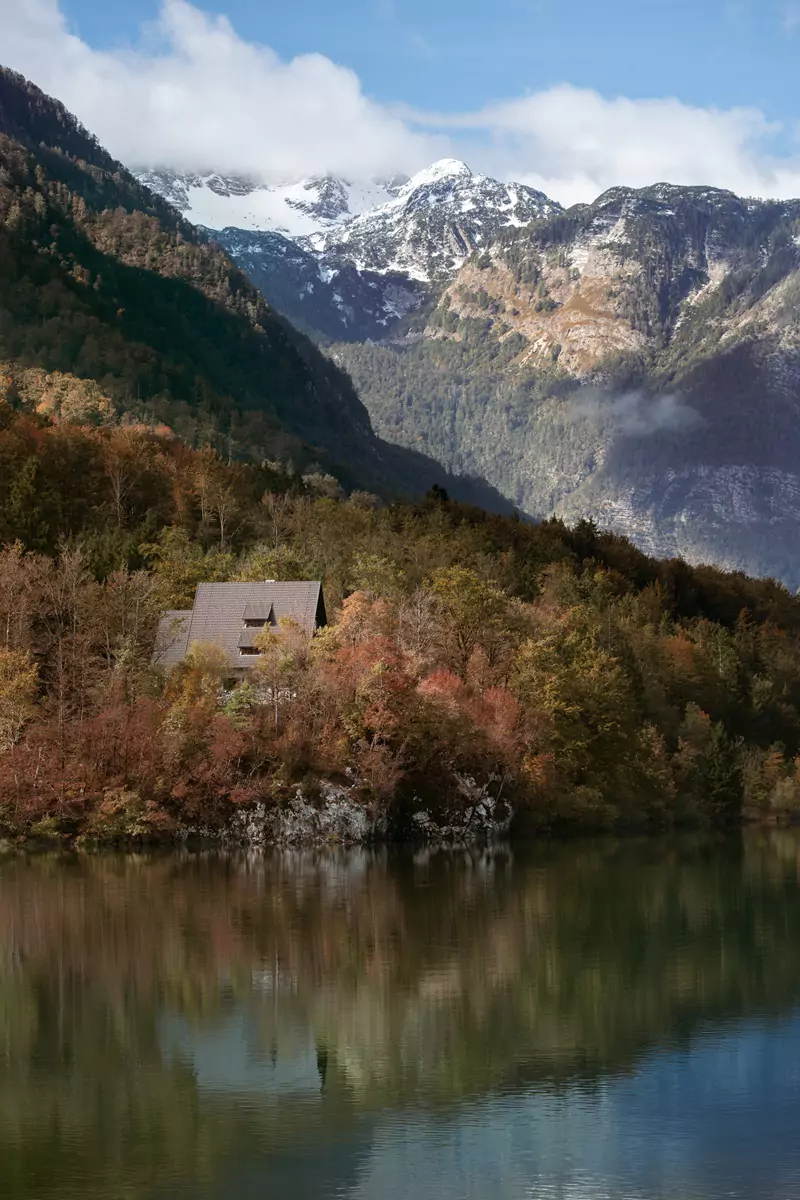

7. Watch Your Crop
Cropping is a relatively easy part of the photo editing process, yet it’s so often done ineffectively!
The cropping technique is particularly important in travel photography because the photos we inevitably take in hectic streets or out of speeding bus windows are rarely perfectly aligned around our intended subject.
So, when cropping a picture, think about your empty space, the direction the subject is facing and where you want your viewer’s eyes to land.
Also, consider how to make your photo the most aesthetic – cropping out a small imperfection around the edge can make a huge difference to an image.
Tip | make sure you always crop with a fixed ratio. While doing this, consider what dimensions you want your picture to be – 3:2, 4:3, 16:9? Personally, I always use a standard 3:2 ratio so that all my photos look consistent across all platforms.


8. Yukky Face Filters and Smoothing
This is such a common issue with phone edits, especially the over-smoothing and faking of skin tones and textures. With travel photography, in particular, it’s not overly ethical to be retouching a random person’s skin and certainly not changing their skin tone.
There’s nothing wrong with removing a few blemishes if you know the subject, but when they start to look like a character out of a Final Fantasy game, consider scaling back your editing enthusiasm a bit!
Solution | check the original from time to time – this can really highlight if you’ve gone too far. It’s also great for making sure that your skin tones haven’t been accidentally altered, too.
Tip | be careful with teeth whitening and eye enhancements – it’s very easy to get carried away and overdo it a little bit. It’s possible that, after a particularly overly eager editing session, everyone looks like they’re from an anime show (which is definitely not the aim of travel photography!).

9. Don’t Use the Background Blur Features
Lightroom and other editing apps now have a background blur feature, intended to make a photo look like it has a natural blur.
The thing is, it’s just not that good, and the edges of your subject are rarely blurred in a realistic way.
Tip | I’d recommend avoiding this function and working on your travel photography skills and aperture settings instead, so that you can create the effect naturally. Most depth of field effects that you want are possible by simply understanding your camera and lens.

10. HDR and Dehaze
These absolutely have their place, but for the most part, are enormously overused by beginner photo editors.
The initial impression of these effects is one of high detail and bold, strong colours, which can immediately seem pleasing to the eye. However, it’s rare that they provide a particularly realistic edit. Plus, they can really increase the grain or noise on your image.
Tip | be very cautious using these particular effects, especially on landscape shots where realism and enhancements are obvious. It’s often worth looking at masking individual sections and enhancing your shot in layers. I talk in depth about the various ways to do this in my photo editing guide for travellers.

11. Don’t Rely on Presets
Using pre-made Lightroom presets in a generic manner across your photos will almost never result in a well-edited image.
Presets are sold as a catch-all solution by some who want to flog their (often dodgy) products, when in reality, there’s always a lot of editing work that must still be done in conjunction with a preset to create a great photo.
Having said that, if you have a number of similar photos, occasionally applying a preset in batches can save a little time.
Tip | make your own presets when you have a group of similar pictures. Start with only warmth and simple colour grading. These tend to be reasonably consistent across multiple pictures that were taken in the same environment.

12. Overusing Trendy Functions
The perfect travel photo will rarely look better for having some kind of fashionable filter thrown on it.
As an example, most travel photographers work very hard to avoid excessive noise in their photos. Recently, however, there’s been this whole fashionable thing in the travel world of adding lots and lots of grain to a photo to make it look kind of retro (when in reality, it seems like the filter is hiding a bad quality shot).
I actually love the retro look that a bit of grain gives some photos, but don’t recommend using it on every photo you take – that’s major overkill. It’s particularly nice when used very minimally on black and white photos – there’s a nice vibe to it.
Tip | be careful of fads and ‘artistic filters’, in general. The monotone style with one bright, popping colour was popular for a while. The dated, damaged film look was too, as were heavy sepia tones (I have no idea why). Just be cautious of destroying a lovely image with something you saw on Instagram – these fashions rarely last, but a perfect image does.

Final Thoughts – Photography Editing Mistakes
Fact: a badly edited travel picture is worse than no edit at all.
However, a badly edited photo is also easily fixable by following just a few simple rules. We hope that our mistakes and solutions help you avoid some of these pitfalls that so many beginner photo editors fall into!
If you’re serious about refining your travel photography, we’ve written a guide on how to elevate your travel pictures beyond the typical happy snap. There’s also a more advanced guide on editing travel photos with sophistication and subtlety to really help them look like something out of a magazine.
Have an excellent day!
Hi, thanks for visiting our blog! If this post has been of help to you, or you’ve just enjoyed our random ramblings and musings, say thank you by buying us a coffee! It helps keep The Restless Beans blog up and running.
Thank you, Claire + Nick


